How do I install Zoiper on mobile?
To configure Zoiper on your mobile phone, simply execute the following steps;
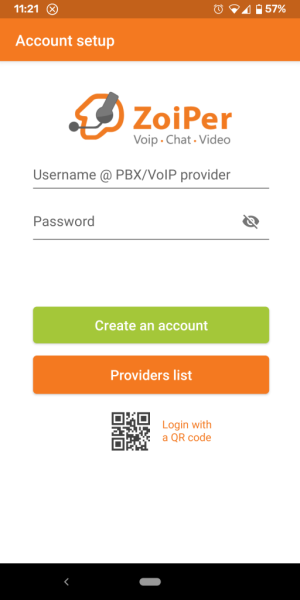
Step 1 – Click on the Providers list button:
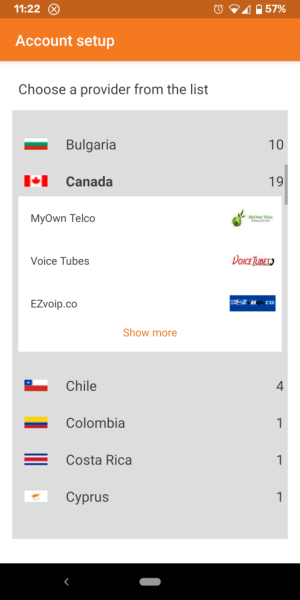
Step 2 – Select MyOwn Telco from the providers list:
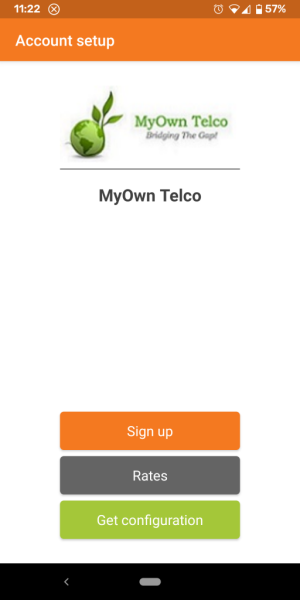
Step 3 – Click on the Get configuration button:
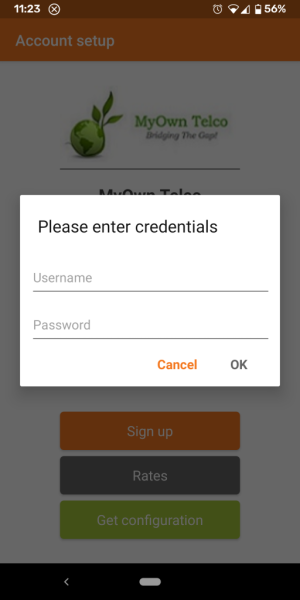
Step 4 – Provide your 6-digit username and password:
Step 5 – On the final screens, grant Zoiper the necessary permissions and allow it to run in the background for optimal performance.